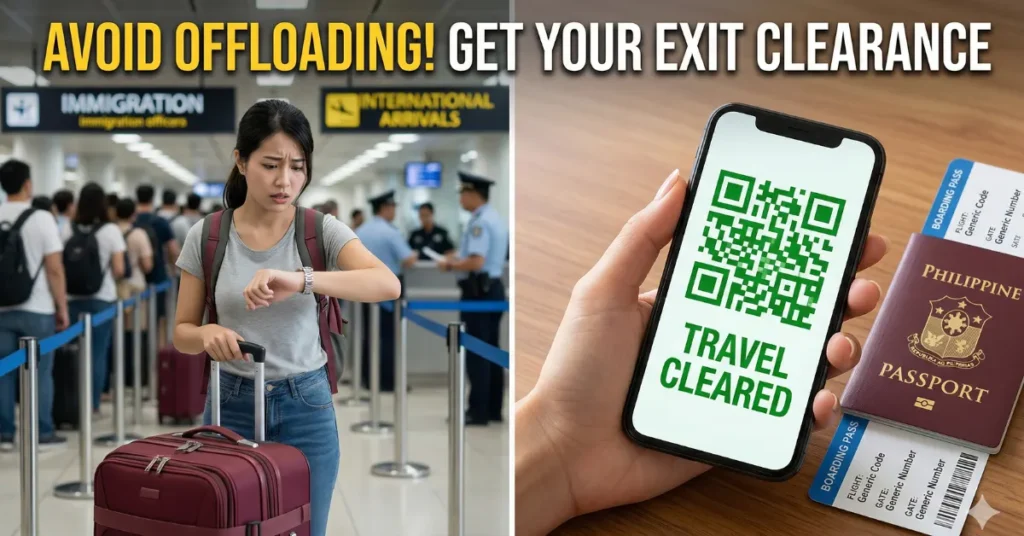
Vacationing in the Philippines is wonderful, but the anxiety of heading back to the airport can easily ruin your final days at home. Every returning Overseas Filipino Worker (OFW) knows the terrifying risk of being offloaded by immigration officers. If you do not have an official Overseas Employment Certificate (OEC), you are not getting on that airplane. If you are dreading the long, chaotic lines at the government office just to secure your exit clearance, there is a much faster solution. You can now easily process your OEC Exemption Online and head straight to your boarding gate with complete peace of mind.
The government has completely digitalized the process to eliminate airport congestion and save workers from paying unnecessary processing fees. If you are returning to the same employer and the same job site, you no longer need to visit a physical branch. Here is exactly how to secure your digital travel clearance in just a few minutes using your smartphone.
Airport Security Philippines 2026: New Rules, Checks and What Travelers Should Know Before Flying
Who Qualifies for the OEC Exemption Online?
Before you attempt to generate your digital travel pass, you must verify your eligibility. The system is highly automated and will only grant an exemption to specific workers called “Balik-Manggagawa” or returning workers.
You are fully eligible to acquire your OEC Exemption Online if you meet three strict conditions: you are returning to the exact same employer, you are returning to the exact same host country or job site, and you already have a previous record in the government’s digital database. If you recently changed employers or transferred to a different country, the system will redirect you to set an actual appointment for manual verification.
Living in Paco Manila: The Best Gateway for Your Weekend Trips
4 Steps to Generate Your Digital Exit Clearance
The old BM Online website has been officially replaced by the Department of Migrant Workers (DMW) Mobile App. To get your clearance, simply grab your smartphone and follow these four steps.
1. Download the Official DMW App
Open your Google Play Store or Apple App Store and search for the “DMW Mobile App.” Ensure you are downloading the official application published by the Department of Migrant Workers to protect your personal data. Once installed, open the application and select the option to register as an OFW.
2. Sync Your E-Registration Profile
If you already have an existing e-Registration account from the old POPS-BaGo portal, you can simply log in using your old credentials. The system will automatically sync your previous employment records, passport details, and active visa information. If you are creating a brand new account, you will need to input your details manually and upload a clear selfie alongside your passport bio-page for facial recognition security.
Metro Manila Subway Update: Condo Values Ready to Double?
3. Verify Your Employer and Flight Details
Once your dashboard is active, navigate to the “Travel Clearance” or OEC section. The system will display your current employer’s name and your registered host country. The app will ask you a simple “Yes or No” question: Are you returning to the same employer and job site? Click “Yes.” You will then be prompted to input your expected flight departure date.
4. Generate Your QR Code
After confirming your travel details, the app will process your request instantly. Because you are a returning worker, you do not have to pay the standard processing fees or the PhilHealth and PAG-IBIG terminal contributions at this stage. The system will immediately generate your OEC Exemption Online in the form of a highly secure QR Code. You can save this QR code to your phone’s photo gallery. When you arrive at the airport, simply present this digital code to the immigration officer for scanning.
PLDT Internet Philippines 2026: Speed, Issues and What Users Should Expect Today
Official Resource: For further assistance with your digital account or to download the official mobile application, always visit the official Department of Migrant Workers (DMW) website at www.dmw.gov.ph.
Frequently Asked Questions (FAQs) for OEC Exemption 2026
1. Is there any fee required to get the OEC exemption?
No. Qualified returning workers (Balik-Manggagawa) who process their exemption through the official DMW mobile app are entirely free from paying the standard OEC processing fee.
2. How long is the digital OEC QR code valid for?
The generated digital exit clearance is valid for exactly sixty (60) days from the date of issuance. You should only generate your QR code when your return flight schedule is finalized.
3. Do I still need to print the QR code on a piece of paper?
While the immigration officers are equipped with scanners to read the QR code directly from your smartphone screen, it is highly recommended to print a hard copy as a backup in case your phone battery dies at the airport.
4. What happens if I click “No” when asked if I am returning to the same employer?
If you changed employers or job sites, clicking “No” will automatically redirect you to the appointment page. You will be required to schedule a physical visit to the nearest DMW office or Philippine Overseas Labor Office (POLO) to manually verify your new employment contract.
5. Can I use the OEC exemption if I lost my previous passport?
If you renewed your passport while on vacation, you must first update your passport details inside the DMW Mobile App’s profile section before attempting to generate a new travel clearance, as the old passport number will cause a mismatch at immigration.
Click Here to Learn More

John Michael Ramos is a Certified Financial Planner with over 12 years of experience in the automotive insurance and personal finance sectors. He has authored data-driven articles for leading financial publications. His goal is to simplify complex insurance jargon into easy-to-understand language.